 Meshbell
No tower.
No router.
Still on the air.
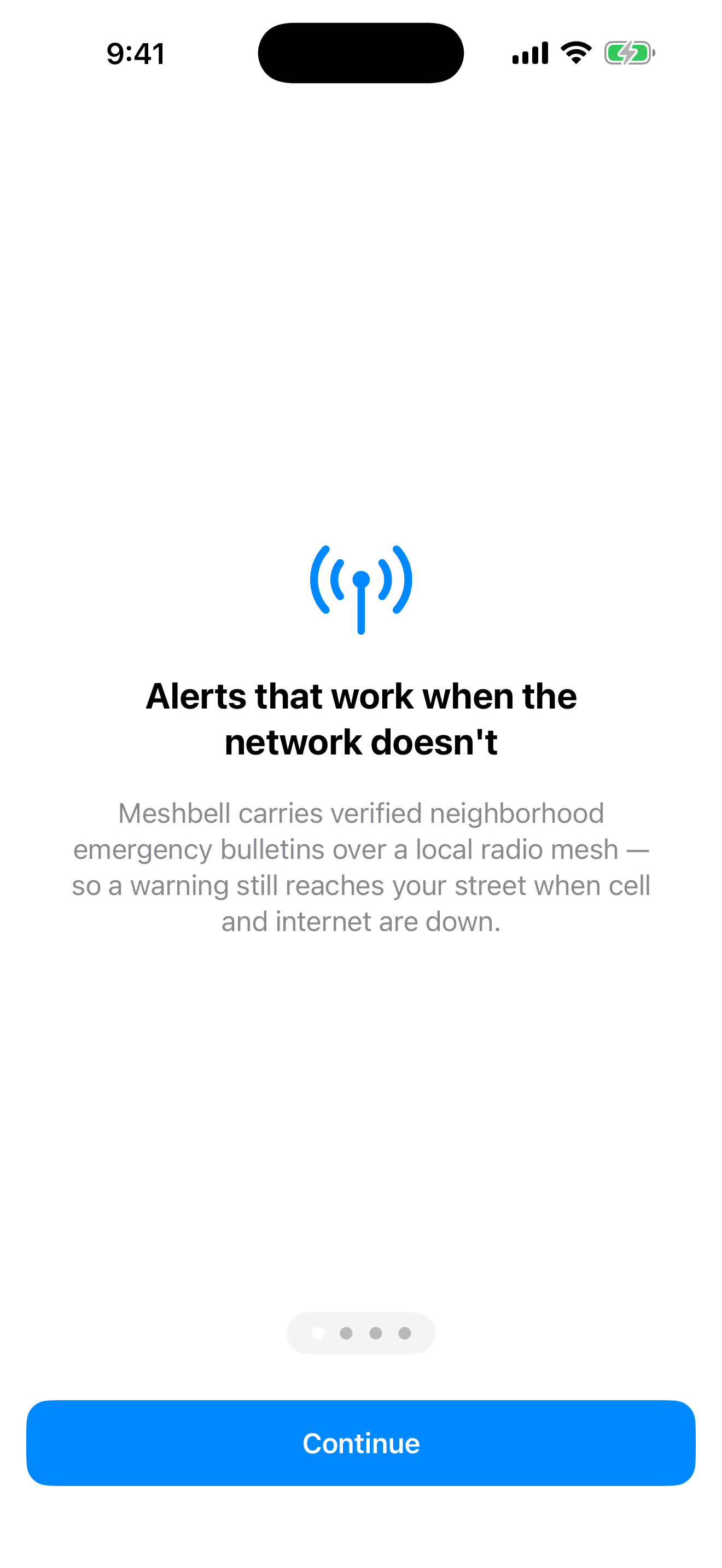
Meshbell carries signed emergency bulletins across a neighborhood on low power radio. Your phone checks each one itself, offline, and says plainly what it could not verify.
bluetooth + wi-fi in · lora across the blocks · no cell · no internet · no account
Example bulletin
rcvd 14:22:07
rssi -96 dBm
size 172 B
snr +7.5 dB
sf7 · bw 62.5 kHz · cr 4/5
Evacuation order. Zone 4, west of the river. Leave now by Ridge Rd.
Signature verified on this device
An example, not a live alert. It shows what a Meshbell message is: the same record twice, the machine's and yours.
Signal path
How a warning gets to your neighborhood.
Five stations and four legs. Read the medium on each leg, because the medium is the lesson. Then press a role and see only the part of the chain that role uses.
Show the path for
The whole chain, end to end. Press a role above to see the part of it that role actually uses.
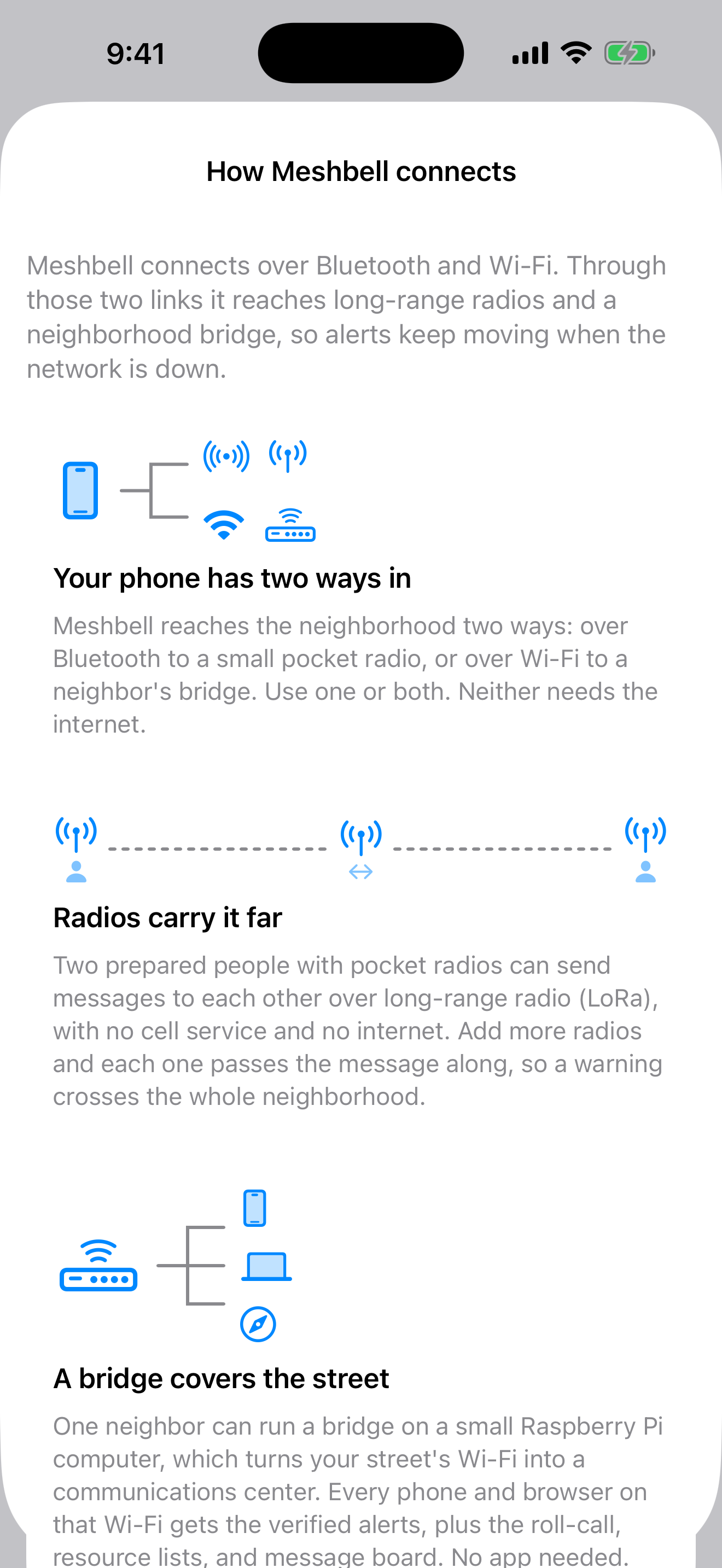
Just a phone. Reaches station 1, and station 5 when a neighbor's bridge is in range. Official alerts arrive over the internet when there is one, and over that bridge's Wi-Fi when there is not. A phone on its own never hears LoRa, because there is no long range radio inside it.
A pair of radios. Stations 1 through 3. Your phone hands the bulletin to the radio in your bag over Bluetooth, and two prepared people reach each other over LoRa with nothing at all in between. This is the only way a phone gets on the air.
A bridge host. Stations 3 through 5. Your Raspberry Pi hears the radios, holds the record, and serves it over local Wi-Fi, so a neighbor with only a browser reaches the same signed bulletins. No app needed, and the whole chain behind it still works.
-
Station 1
Your phone
Writes or receives the bulletin, and checks the signature itself.
-
bluetooth le · 2.4 GHz · one phone at a time
The phone hands it to the radio in your bag.
-
Station 2
Pocket radio
A LoRa node, about $30. No SIM, no account, no subscription.
-
lora · 910.525 MHz · sf7 · 172 B
Long, slow, low power. It reaches far because it goes slowly, and it moves in hops, not in a stream.
-
Station 3
Neighbors' radios
Each one repeats it once and then stops, so the air stays clear.
-
lora · hop to hop
Across blocks and over a ridgeline, with nothing in between. Built to relay. The bench has proven one hop.
-
Station 4
The bridge
One neighbor's Raspberry Pi. It holds the record and serves it over Wi-Fi.
-
wi-fi · lan · no uplink needed
A local network that needs no way out. If one happens to exist, the bridge will use it.
-
Station 5
The block
Any phone or browser nearby. Every device checks the signature again, on its own.
the room
a household
a neighborhood
across blocks, over a ridgeline
reach, not to scale. no distance on this page is bench measured.
910.525 MHz is the North American station. Other regions tune to their own band. See the bands by region
nothing in this path touches a tower, a router, or an account
Three ways to be ready
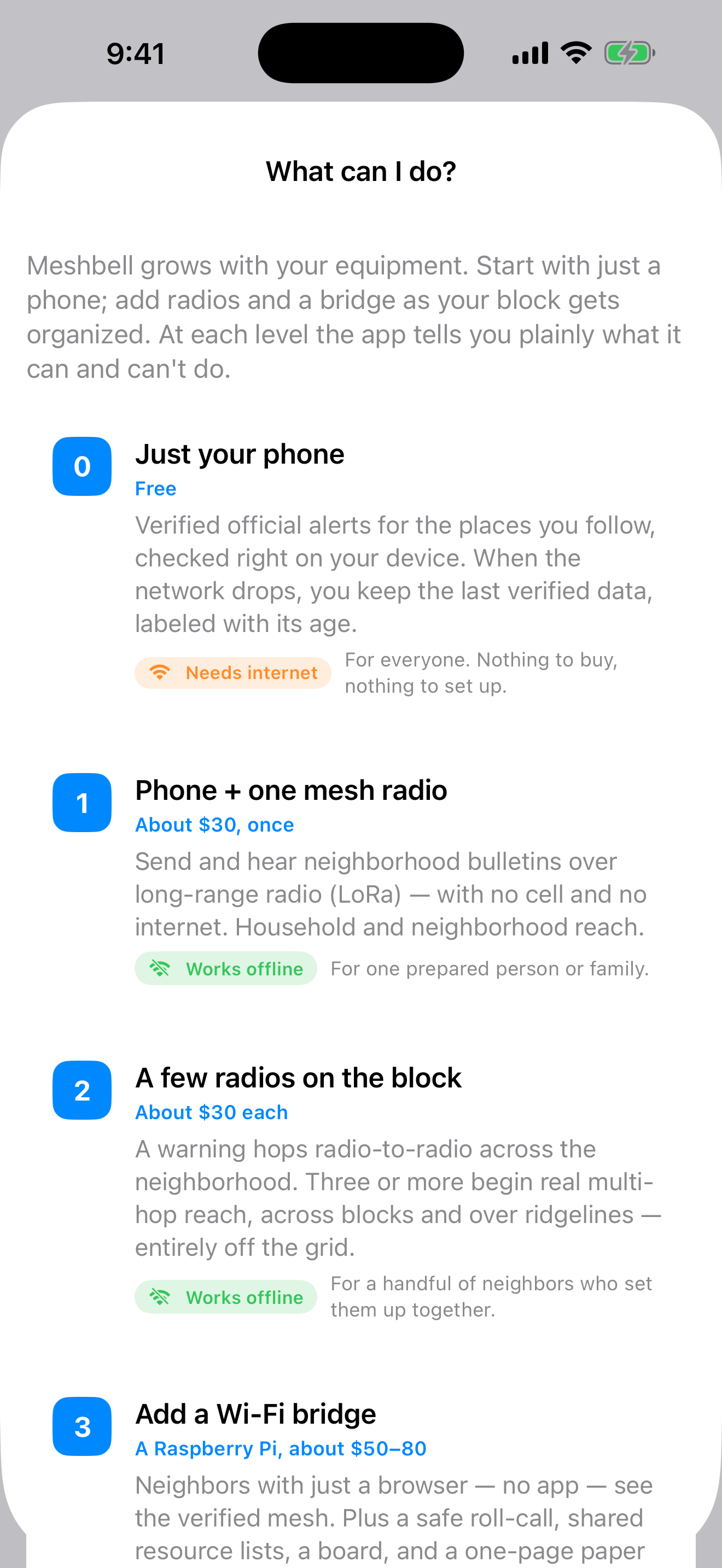
One of these is free and you already own the hardware. One costs about the price of two pizzas. One equips your whole street. Every channel says plainly what it can and cannot do.
-
phone only · free
Needs internet or a bridgeJust a phone
Official alerts for the places you follow, from the weather service that issued them. When the network drops you keep the last data you received, labeled with its age instead of a confident blank. Walk into range of a neighbor's bridge and the whole verified feed arrives over that Wi-Fi, with no internet anywhere in the picture.
For everyone. Nothing to buy, nothing to set up.
-
2 lora nodes · ~$30 each
Works offlineA pair of radios
Two prepared people, each with a pocket radio paired to a phone over Bluetooth, reach each other at long range with nothing at all in between. No cell, no internet, no account, no monthly anything. This is the only way a phone gets on the air, and it is most of what you need on the first night.
Grow it. Three or more radios begin real multi-hop reach, across blocks and over a ridgeline, each one repeating a bulletin once and then stopping so the air stays clear.
For one prepared person, a family, or two neighbors who set them up together.
-
+ raspberry pi · ~$50-80
Works offlineA bridge host
One neighbor puts a spare computer on their Wi-Fi and the whole block is covered. Everyone in range reads the verified feed in an ordinary browser, with no app and no radio of their own, plus the roll-call, the shared lists and the board. The installer ships inside the app.
Grow it. Radios on several blocks behind that bridge is a full neighborhood mesh. Neighbors enroll each other's keys in person, so trust is real and there is no directory of who lives where.
For a block captain, or the one willing host on the street.
Screens
Clear enough for the worst day.
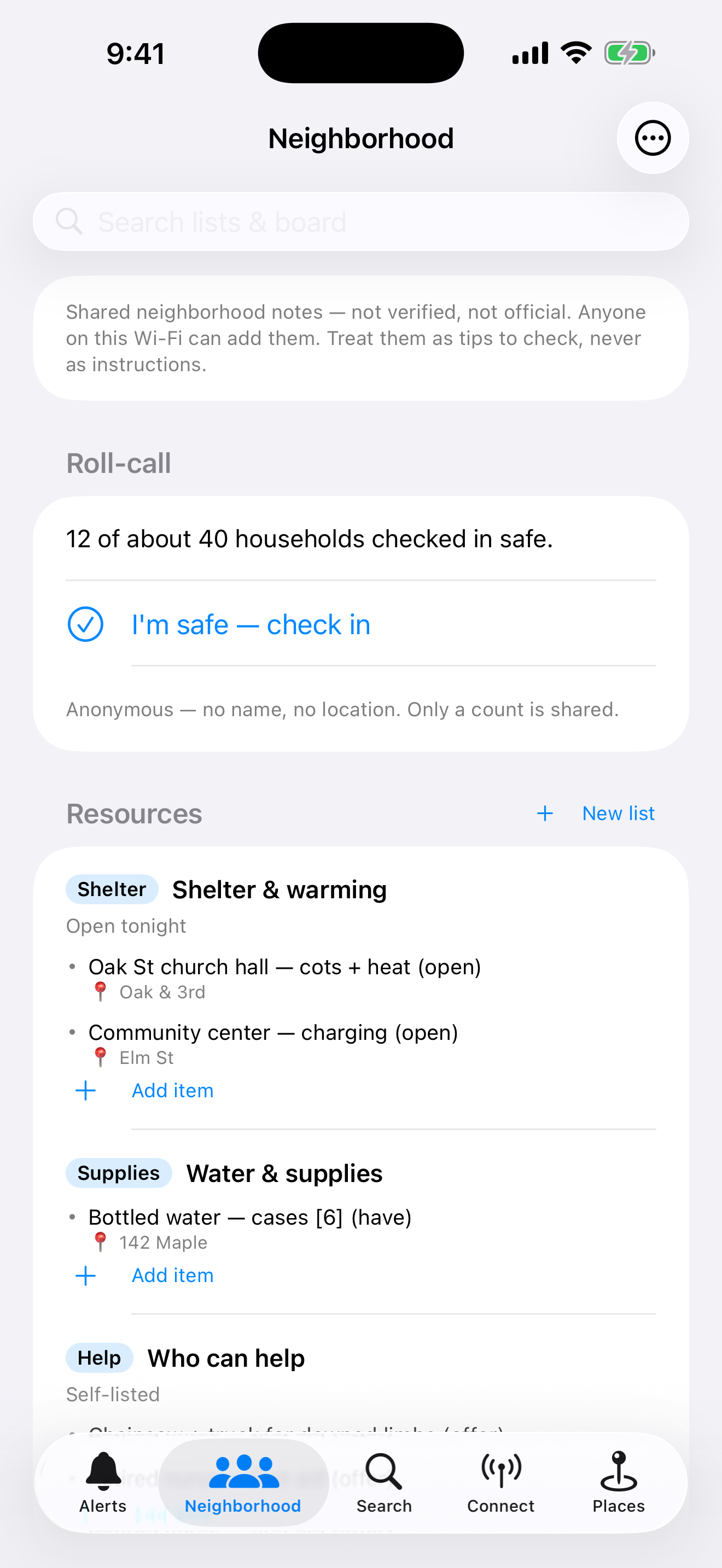
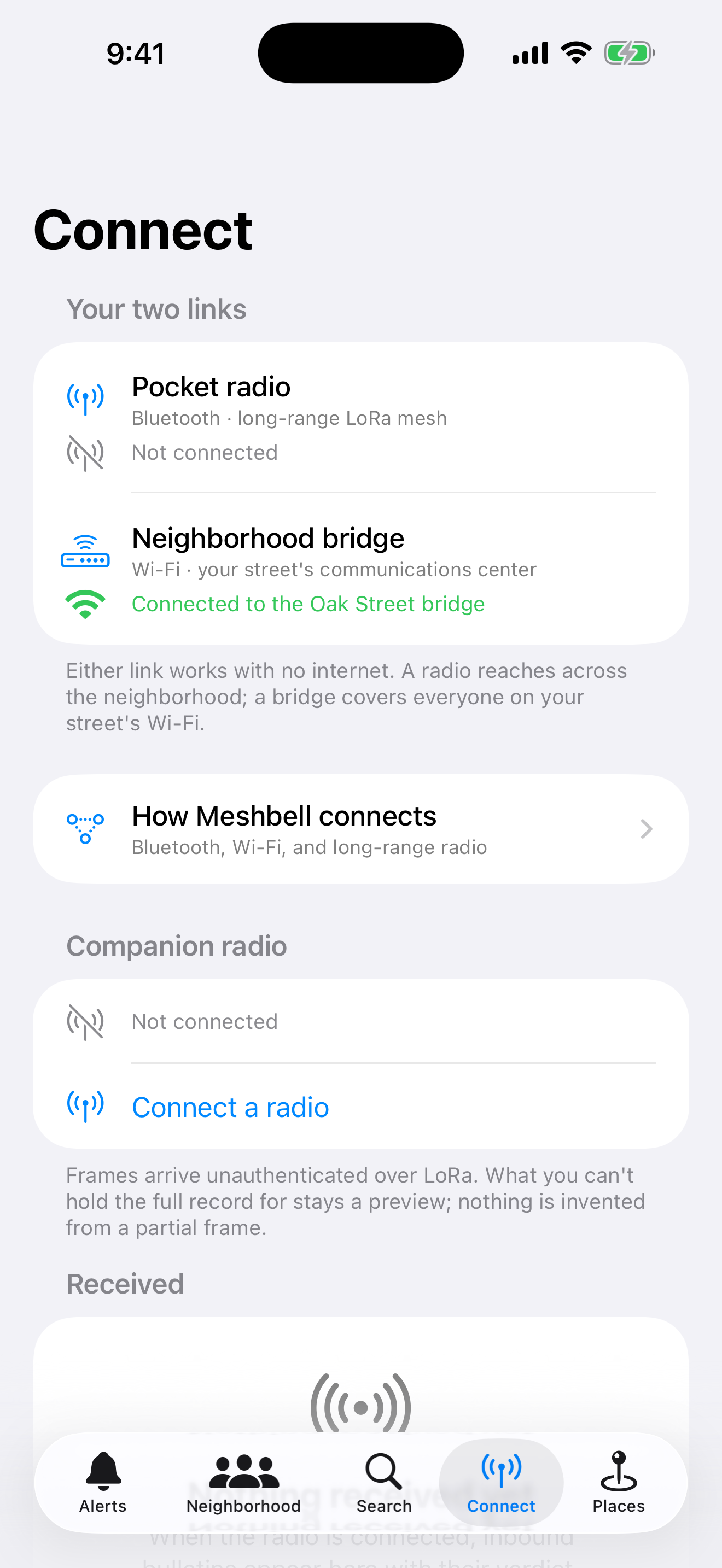
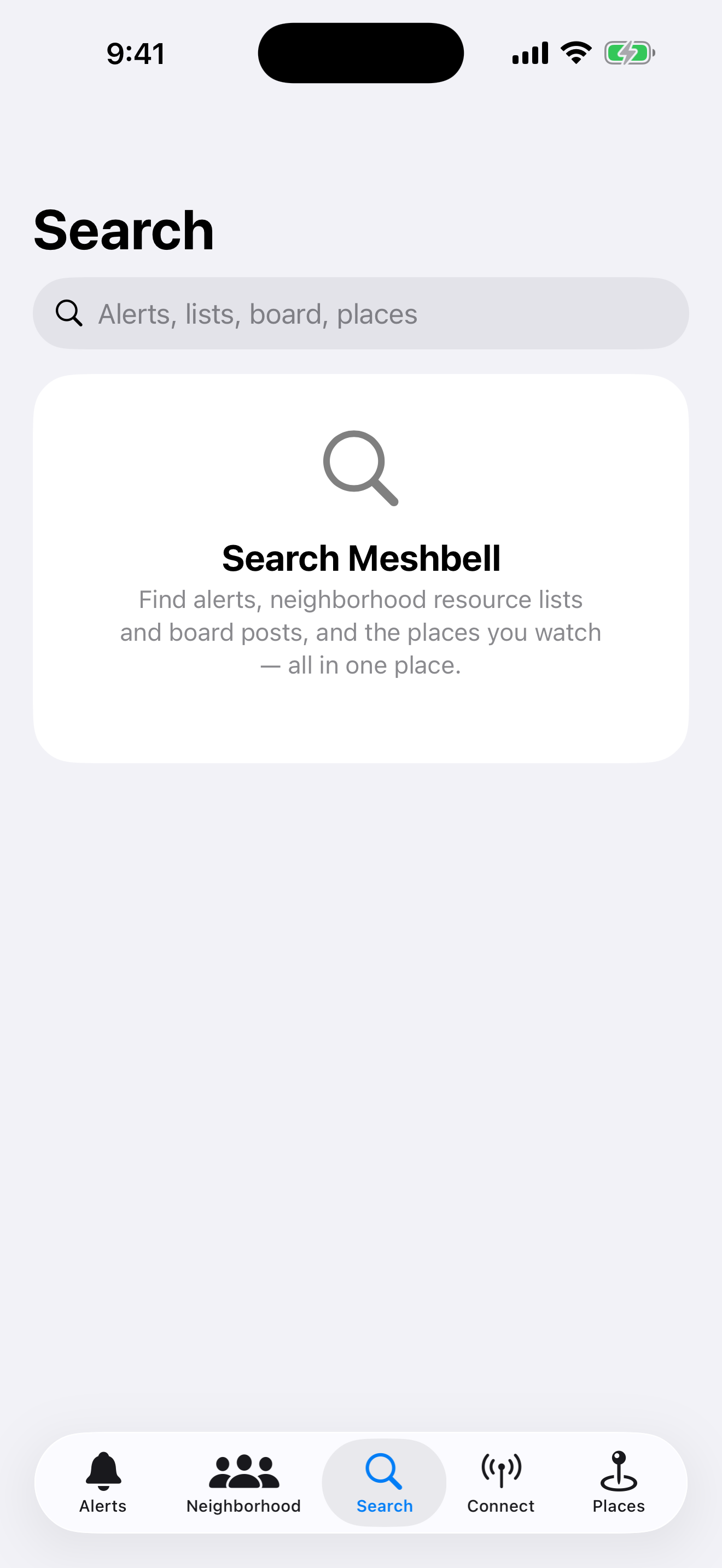
One bottom bar, four tabs: Alerts, Neighborhood, Connect and Messages. Search is a magnifying glass in the toolbar, one field over everything, and plain language Help is one tap away on Alerts.
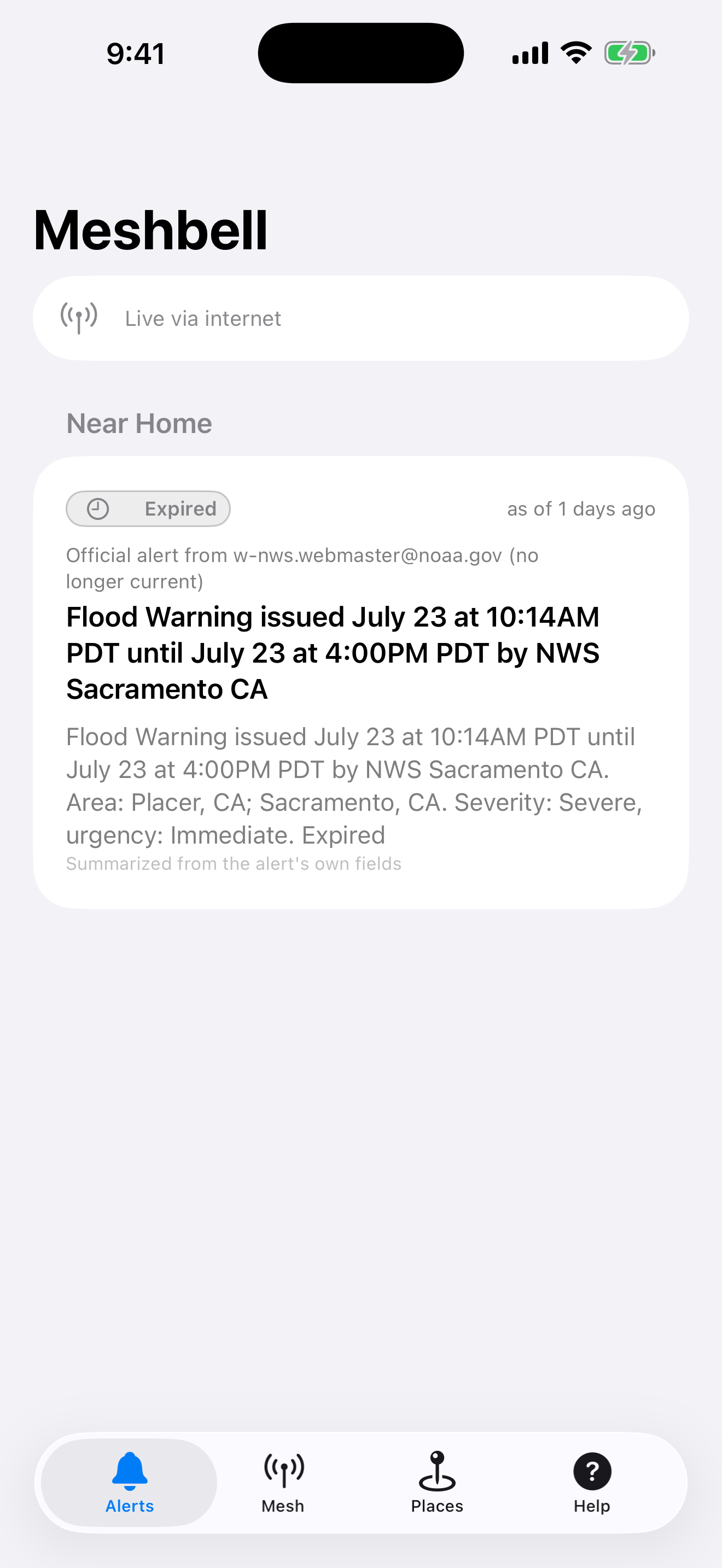

"Hospital is open, take the river road."
Example · Could not be verified
A photo goes around during a flood. The caption names a building that is not the building in the photo. By the time anyone corrects it, a few hundred people have already decided where the hospital is, and some of them have started driving.
Two things fail in the first hour.
The first is the network. Floods, fires and long outages take cell towers and home internet with them, at the exact hour a neighborhood needs to talk to itself. Meshbell does not depend on either one.
The second is the message above. Meshbell will show it to you. It will not let it look like an order. Most apps show you a claim and let the styling imply it is true; this one holds two facts apart and prints both, every time: who is speaking, and whether this device could check them.
The app never launders a rumor into an instruction.
That is not a policy someone remembers to follow. It is the shape of the code. A screen that renders an instruction cannot be built out of a message that failed the check, and guidance text comes from a bundled playbook keyed by id, never from free text on the wire. Only a message that clears a real cryptographic bar can carry an instruction, and even a relayed official alert is not treated as official here.
Unverified is not red. It is grey, because it means unknown, and a forgery and a key you have not met yet are two different facts. Collapsing them into one word would hide the distinction a person actually needs. So there are three verdicts, and the app never blurs them.
- Verified
- Could not be verified
- Relayed official
Spec sheet
What it does today.
- places
Follow your places, then forget them
Places live in Settings, because you set them once. Add your home, or a family member's street. Serious verified hazards that touch them reach your lock screen. The rest stays in the feed. Places stay on the device and are never published.
- neighborhood
The Neighborhood tab
Check in safe, share resource lists, post to the board. Native in the app over your neighborhood's bridge. No browser, no account.
- search
One field over everything
The magnifying glass in the toolbar opens a sheet, not a tab: alerts, the board, resource lists and your places in a single search, so you can find the shelter list without scrolling the feed, then dismiss it and be back where you were.
- report
Say what you can see
A neighbor can originate a first-hand hazard report, not only agree or disagree with one that already exists. Say something at the top of the Alerts screen is the one way in: report what you can see over the radio, or share something on your neighborhood's Wi-Fi. It goes out in your own words, signed by your phone, and neighbors see it as an unverified report until others confirm it. Attaching a place is off by default, and an attached place is a coarse area about a kilometre across, never your exact position. A report reaches everyone in radio range, signed, and it cannot be taken back. Ordinary conversation belongs in the Messages tab instead, where it stays out of the alerts feed.
- verify
Checked here, not there
Your phone holds the signature math itself, so nothing on the network gets to say what is true. A bulletin that clears the check says so. One that cannot is labeled unverified and never gets to sound like an instruction, no matter who relayed it.
- enrollment
Meet a neighbor's key
Enroll each other in person: scan a QR code, read a short fingerprint aloud. That is the whole security model, and it builds no directory of who lives where.
- bridge
Bridge the block
The bridge installer ships inside the app. Guided setup stands it up on a Raspberry Pi, and the app finds it on the Wi-Fi by itself. There is a manual address field for networks that block discovery.
- link
A link that repairs itself
Walk out of range, reboot a radio, take interference. The connection re-establishes and keeps listening, including while Meshbell is in the background. A companion radio serves one phone at a time, and the app says so instead of spinning.
- offline
Degraded is the normal state
An old phone, a dying battery, no cell and no Wi-Fi. It keeps working, and it labels stale data with its age.
Run a bridge
One neighbor equips the neighborhood.
A bridge is a spare computer on your Wi-Fi. It listens to the radios, holds the record, and turns the verified mesh into something everyone nearby can read in a browser, with no app and no radio of their own. If you are the person on your block who would do this, the rest of this section is for you.
What it takes
raspberry pi · ~$50-80
or any linux, mac or windows machine already on your network
one command · one directory · one service · one port
no uplink required
The installer is a guest on that computer
It owns one directory, one service and one port, and removing it leaves the machine exactly as it was. Guided setup ships inside the phone app, and the app then finds the bridge on the Wi-Fi by itself. There is a manual address field for networks that block discovery.
Two bridges that can reach each other on a network share what they have heard, so a second neighborhood joins without anyone re-typing anything. A linked bridge is never trusted: everything it hands over is checked here before it is stored, exactly as if a stranger had posted it. And Wi-Fi runs on mains power, which is the first thing a storm takes, so linking bridges buys coverage on an ordinary day and on the very common day when the internet is out but the lights are on. It is not a way to reach further in a blackout. That is what the radio is for.
What the neighbors on that Wi-Fi get
-
The verified feed, in any browser
No app, no account, no radio. Their browser checks every signature itself, on their own device, so the bridge is never asked to be trusted with the truth of anything.
-
Their neighborhood's own page
The roll-call, the shared lists and the board, served over local Wi-Fi that needs no way out. If an uplink happens to exist, the bridge will use it. If it does not, nothing changes.
-
Official alerts they would otherwise miss
A bridge can pull FEMA IPAWS in the US or MeteoAlarm in Europe while it still has a connection, and keep serving what it holds after the connection is gone.
Once everyone is safe, the logistics
-
An anonymous roll-call
One tap to check in safe. Everyone sees a running count and nothing else: 12 of about 40 households checked in. No names, no addresses, no locations, no map of who is home. The count stays hidden until a handful have checked in, so no single household can be picked out of it.
-
Shared resource lists
Shelter and warming spots, water and supplies, power and charging, and a self-listed who can help: the neighbor with a chainsaw, the nurse two doors down. Anyone on the bridge can add and edit. Nobody is added by someone else.
-
A board, sorted by channel
Offers, requests, questions and updates, each tagged to a channel and windowed by how recent it is, so a busy neighborhood stays scannable. You post under whatever name you type.
-
A paper fallback, for when phones die
The bridge prints one page to tape to a door. It is the last thing standing, and it is the reason this website prints cleanly too.
Bridge printout
roll-call · 12 of ~40 safe
water · fire station, 6th st
shelter · elementary school gym
board · generator free to borrow, ask at 214
Shared notes, not verified alerts. The coordination layer is unverified by design and sits beside the signed alert rail, never inside it. Neighbors write it, so treat it the way you would treat a note taped to a door: useful for logistics, never a source of official instruction.
Hold your screen up to a neighbor's camera
A bridge travels from one phone to the next as light. Their own camera app reads a single code and opens everything they need to reach your bridge: no app to install, no network in common, no permission beyond pointing a camera.
-
One still code carries the address
The code holds where the bridge is: its address, the Wi-Fi that carries it, and the certificate fingerprint you read aloud so your neighbor can check it matches. Nothing about your bridge is sent to any server. It rides in the part of the link a browser keeps to itself.
-
An animated code carries the bulletins
The bridge page can also beam its current bulletins as a stream of flickering codes, screen to camera, a small pack in seconds. The receiving phone ends up holding a file, and hands it to its own bridge, which checks every signature itself.
-
The receiver works with the internet gone
meshbell.com/r/ is the receiving page. Open it once on an ordinary day and add it to your home screen. From then on it works with the towers down, because the page keeps itself on the phone.
-
What never travels by light
No keys, ever. A key changes hands in person, with a fingerprint read aloud, and nothing a camera can film will mint one. Light carries bytes across a room. It does not carry authority.
Light delivers, it never vouches. Everything received this way is labeled unverified until a bridge checks the signatures on its own. A beamed bulletin earns exactly the verdict it would have earned arriving any other way.
A public good.
Meshbell is built as a nonprofit and the alerting is free. We will not sell your emergency, put a life-safety feature behind a paywall, or turn your neighborhood into a mailing list. Support and low cost hardware pay for radios and bridges, never for the alerts.
Get Meshbell
Two ways to bring it home.
The app is how you carry alerts in your pocket. The bridge is how everyone else in your neighborhood reaches the same verified mesh with nothing but a browser. Start with either one.
iPhone app
Join the TestFlight beta
Meshbell for iPhone is in open beta through Apple TestFlight, Apple's own beta program. Install TestFlight from the App Store, then tap through to join. Free, no account, nothing to buy.
Get the TestFlight betaBridge software
Install the neighborhood bridge
Turn a Raspberry Pi, or any spare Linux, Mac or Windows computer on your Wi-Fi, into the bridge for your neighborhood. One command installs it. It runs as a guest on that machine and touches nothing else.
Linux and macOS
curl -fsSL https://meshbell.com/install.sh | bash
Windows PowerShell
irm https://meshbell.com/install.ps1 | iex
Download the packageWhere this actually stands.
The iPhone app is in public beta through Apple TestFlight. Anyone with the link can install it today, free and with no account.
A signed bulletin has crossed real LoRa radios at 910.525 MHz and verified on a phone, offline. That is one hop on a bench, not a neighborhood at scale.
Version 1.0 is submitted to the App Store and sitting in Apple's review queue. Until it clears, TestFlight is the way in.
Meshbell is not a replacement for official emergency services. Keep the alerts you already have turned on.